Public TestFlight beta. Not on the App Store.
Install it from TestFlight, then connect your own Hermes gateway or run a model on the phone.
Install the iPhone betaNew Kodros for iPhone and Android, pre-release
Connect Kodros to the Hermes gateway you run on your own hardware. Windows and Linux installers (version 1.3.0) ship with SHA-256 checksums.
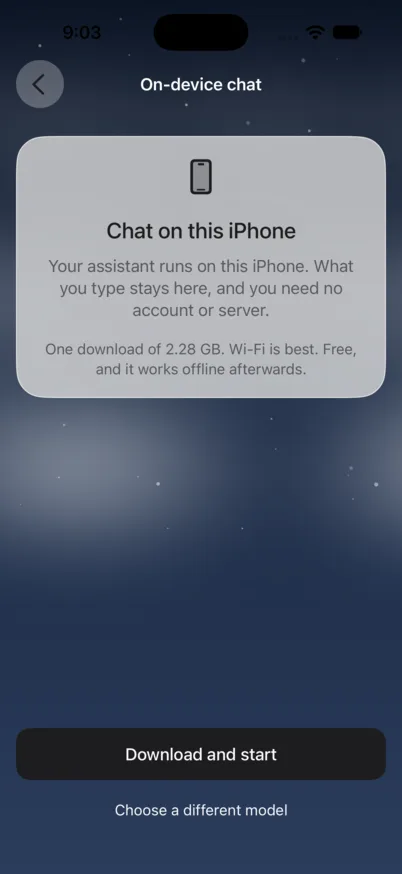
iPhone. Build 56. On-device model screen, simulator capture. No personal data.
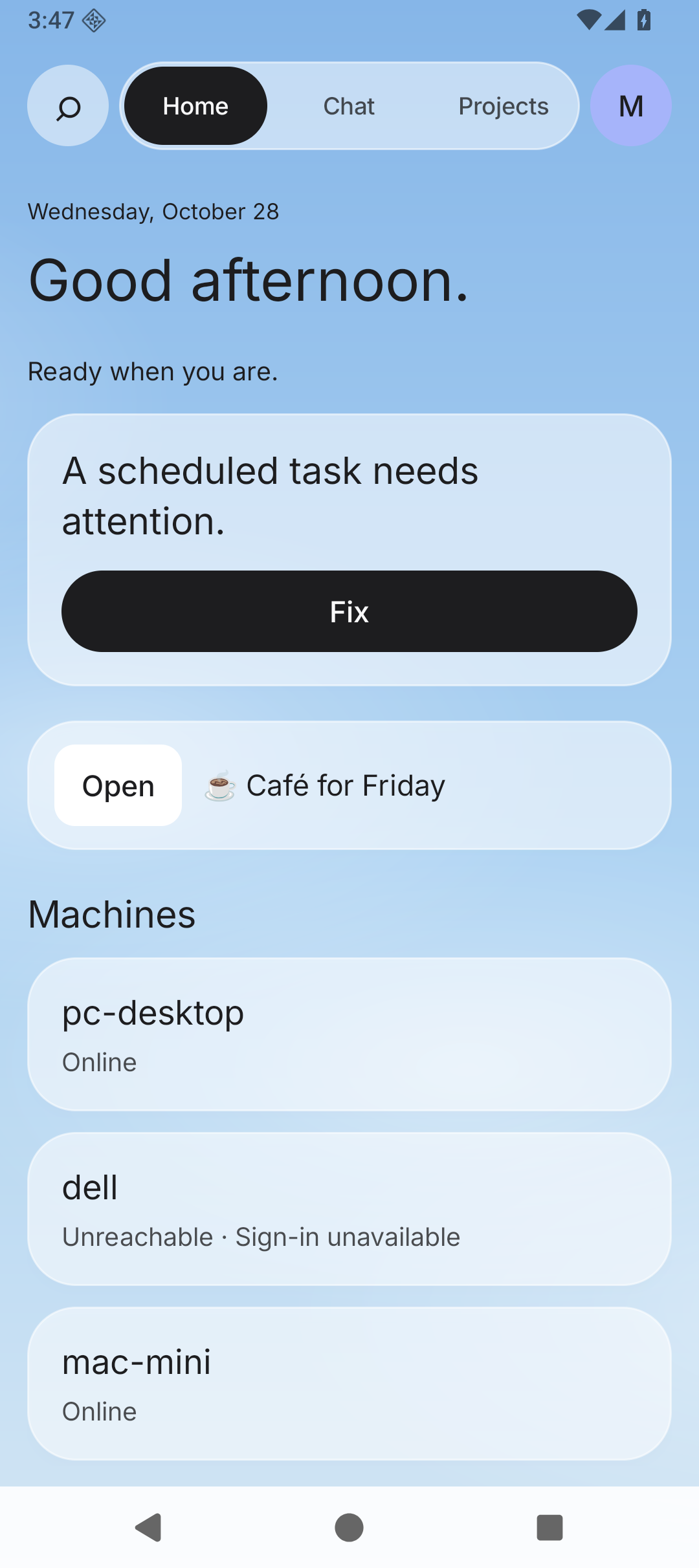
Android. Version 1.3.4, code 7. Emulator capture with fictional test data. Download the signed beta.
Public TestFlight beta. Not on the App Store.
Install it from TestFlight, then connect your own Hermes gateway or run a model on the phone.
Install the iPhone betaDirect-install beta. Not on Google Play.
Needs Android 8.0 or later plus your own reachable Hermes gateway address and API key. No on-device model and no hosted account in this build.
Download Android beta · 14.0 MBnet.meshvault.android8a501235795ff473479296697e5b2e68c4b352aaecfb1ca2adf927d28ed13b39Beta software can have bugs. The APK is signed with our Kodros Upload certificate, not a debug key, and direct-download updates keep it. A future Google Play build may use a different key and may not update this install in place. Back up important work on your gateway.
Install the iPhone beta from TestFlight, or download the Android APK.
In Hermes, enable gateway.api_server and set API_SERVER_KEY. The phone talks to that server only.
Enter the address and key once. iPhone keeps the key in the Keychain. Android encrypts it with an AndroidKeyStore key that cannot be exported.
Commands, messages and spending wait for a person to say yes, every time.
| Question | iPhone | Android |
|---|---|---|
| Where to get it | Public TestFlight beta | Direct-download signed beta APK |
| Store listing | Not on the App Store | Not on Google Play |
| Price | Free, no in-app purchase | Free |
| Talks to your gateway | Yes, over REST and streaming replies | Yes, over REST and streaming replies |
| Where the gateway key lives | iPhone Keychain | AndroidKeyStore key that cannot be exported |
| On-device model | Yes, 6 GB of memory or more | Not listed in this build's docs |
Pair Kodros for Windows and Linux with the Hermes gateway you run, then chat, run scheduled jobs and manage skills. It is part of the Kodros plan.
Turn on the gateway's API server, then enter its address and API key on the connect screen. The key stays in your computer's secure storage. It is not sent to us.
Check the SHA-256 before you run a file: how to check a download.
Version 1.3.0 is published with a SHA-256 checksum in SHA256SUMS.txt.
Public files, no sign-in needed.
The iPhone app is a public TestFlight beta, free, with no subscription and no in-app purchase. Install it from testflight.apple.com/join/BjFNCF45.
Public beta on TestFlight. Free, no subscription.
On a recent iPhone with 6 GB of memory or more, the app can run a private model on the phone. It works offline after one download: about 1 GB with 6 GB of memory, 2.3 GB with 8 GB. What you type stays on the phone.
Already run a Hermes assistant on a computer? Connect the phone with a code. The work stays on your hardware. The phone is where you ask, read and approve.
Agents draft. A named person approves sends, payments, posts and access changes. Only a person deletes things.
Yes, as a public TestFlight beta at testflight.apple.com/join/BjFNCF45. It is not on the App Store. Support and privacy are in the iPhone app section below.
No. Windows and Linux builds are on this page. Hermes Desktop is open-source software from Nous Research, not Kodros or Anthropic software. Kodros installs it, pins the version and pairs it.
Android needs a Hermes gateway you run, with its API server on. On a recent iPhone with at least 6 GB of memory, Use Kodros on this iPhone runs a private model without a server.
Compare the file's SHA-256 with the one on this page before you run it. These desktop files still use an earlier filename, Kodros.
Windows (PowerShell):  Get-FileHash .\MeshVault-*-setup.exe -Algorithm SHA256
Linux:                 sha256sum MeshVault-*.AppImage MeshVault-*.deb
Every checksum is also in one file: SHA256SUMS.txt. On Linux, sha256sum -c SHA256SUMS.txt checks the files you downloaded.
The Windows installer isn't code-signed yet, so SmartScreen may warn. Check the checksum, then choose More info and Run anyway. On Linux, run chmod +x on the AppImage first.
No server yet? See the one-week install. The Agent Skills Starter Pack is the add-on for the agent, $49 once.
Install the iPhone beta from TestFlight today.
Public TestFlight beta, not on the App Store. See the iPhone support page and the iPhone privacy page.
Support is on the contact page and privacy on the privacy page. Omarchy Deck: support, privacy. Homelab Dictate: support, privacy.